
Computer Vision Development
Turn images and video into real automation—detection, inspection, and monitoring built for your workflow.
What you get?
• Object detection + tracking (people, vehicles, products, equipment)
• Visual inspection + quality control (spot defects, count items, verify steps)
• Real-time alerts + workflows (SMS/email) when something triggers a rule
• Dashboards + reporting (counts, timestamps, trends, evidence snapshots)
• On-site or cloud deployment (fast demos → production-ready systems)
• Integrations + audit logs (APIs/webhooks, Sheets/CRM/DB, full traceability)
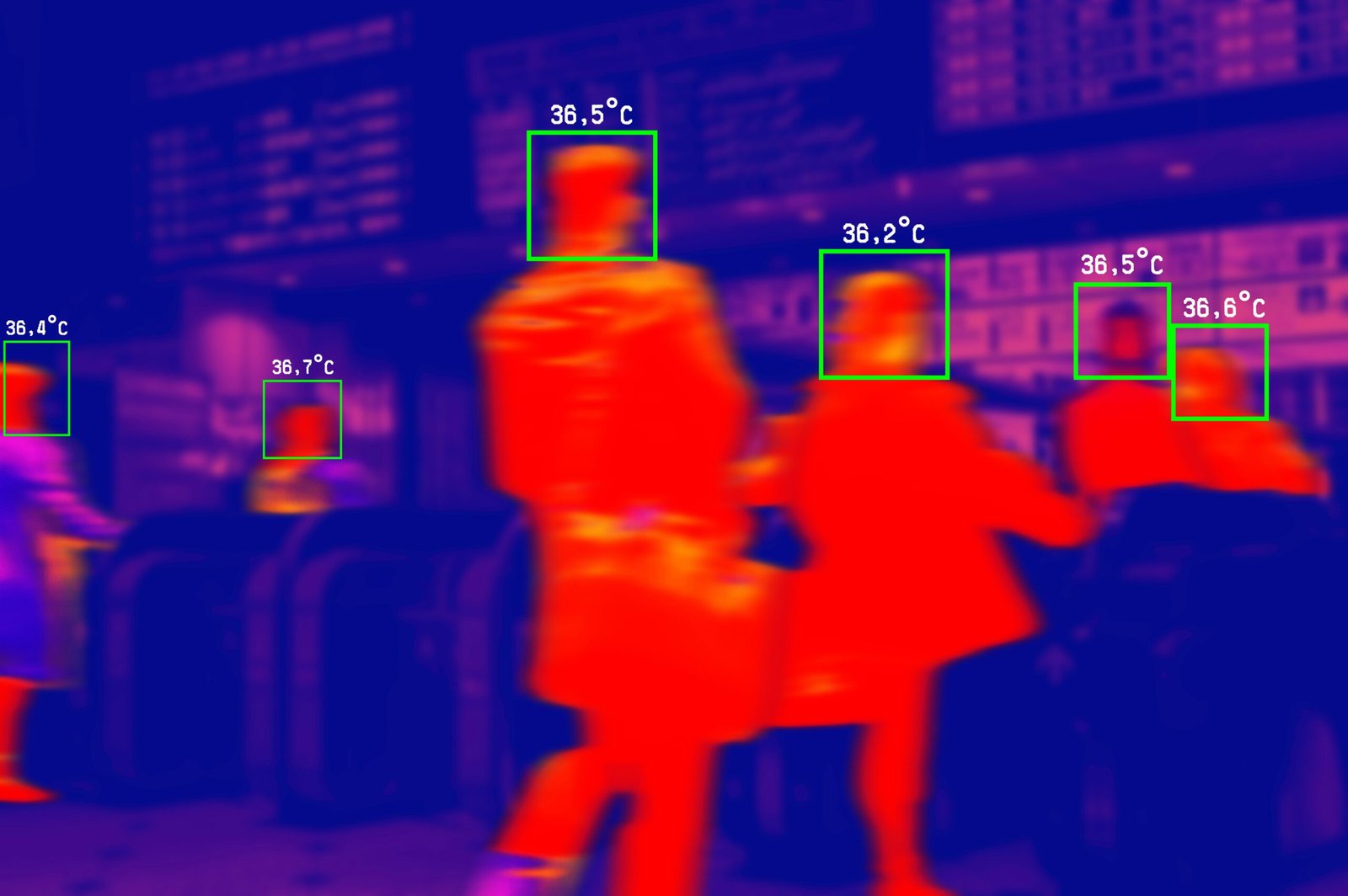
Detection + Tracking
Detect + track objects in real time—counting, zones, dwell time, and movement patterns.
Visual Inspection (QC)
Automate inspection checks—spot defects, missing items, damage, and anomalies.
Alerts + Automation
Trigger actions instantly—send alerts, open tickets, update records, start workflows.
Dashboards + Integrations
Push results to dashboards, Sheets/CRM/DB, and keep audit logs for every event.
Computer Vision & Audio AI Demos
Below are real demo examples of systems we build—vision models that detect/track/classify and automation that turns signals into actions.
Identify objects in video, count events, and trigger alerts or workflows in real time.
Optional identity/verification use cases (when appropriate) with strict privacy and access controls.
Detect and classify sounds (e.g., equipment states, alarms, anomalies) and log outcomes automatically.
Image Classification — Water Heater Monitoring
Classify water-heater states from camera images and detect risk conditions early. Send alerts and trigger automatic shutoff actions to prevent damage.
Best for
Teams that need video/image understanding to automate inspection, counting, safety monitoring, and event detection—then push results into dashboards and workflows.
Common use cases
• Visual inspection (QC): detect defects, missing parts, damage, or label/packaging issues
• People/vehicle detection + counting: occupancy, queue length, traffic flow, dwell time
• Safety + compliance: PPE detection, restricted zones, incident flags, site monitoring
• Event triggers: create tickets, alerts, and reports when a rule is met (time, zone, threshold)
Integrations
We can connect outputs to dashboards and workflows—so every detection becomes a tracked event.
Google Sheets/BigQuery, HubSpot/GHL/Salesforce, Slack/Email/SMS, and automations via Zapier/Make/n8n (plus APIs/webhooks).
Built on the Right Tools for the Job
We build with PyTorch / YOLO / TensorFlow (TFLite where needed) , OpenCV and deploy on Raspberry Pi (edge), with ESP32 + IoT sensors/relays and Webhook/API’s to trigger real-world actions—shutoff valves, alarms, notifications, and dashboards.
How it works?
Launch fast, then improve.
• Define the use case + success metrics
• Collect/label sample images or video
• Train + test the model (accuracy + edge speed)
• Deploy, monitor, and iterate from real footage
What the system “sees”
Turn video into structured events.
• Detect objects (people, vehicles, equipment)
• Classify states (normal vs issue / on vs off)
• Track movement, zones, and dwell time
• Flag anomalies + confidence scores
Real-world actions
From detection → action automatically.
• Send alerts (SMS/email/Slack) instantly
• Trigger workflows via webhooks/APIs
• Create tickets + attach snapshots/clips
• Control IoT relays/valves when needed
Edge deployment
Run on-site with low latency.
• Raspberry Pi / edge gateways for local inference
• ESP32 + sensors/relays for device control
• Offline-first options + local buffering
• Cloud sync for logs, dashboards, and updates
Integrations we support
Connect to your tools.
• Dashboards: Sheets/Looker/Custom web
• Alerts: Twilio SMS, email, Slack
• Storage: S3/Drive/DB for clips + events
• APIs/webhooks to CRM, tickets, and ops tools
What success looks like
Measurable outcomes, not demos.
• Faster detection → faster response times
• Fewer missed incidents + false alarms
• Clear audit trail with images + timestamps
• Automated reporting on events and trends
Frequently Asked Questions Computer Vision
Not entirely—computer vision automates the repetitive monitoring (detection, counting, alerts, logging) so your team focuses on decision-making and response. You can also run it in “human-in-the-loop” mode where actions require approval before anything is triggered.
We can work with live camera feeds, recorded video, and image snapshots, plus sensor/IoT signals (motion, temperature, water flow, door contacts, etc.). If you already have labels or examples, great—if not, we help collect and label a starter dataset from your real environment.
Yes—based on confidence thresholds and rules. For example: send SMS/email/Slack alerts, create a ticket, update a dashboard, or trigger a webhook to an IoT device (ESP32/relay) to shut a valve, sound an alarm, or power-cycle equipment. We can also require approvals before any physical action.
We use guardrails like confidence thresholds, multi-step verification (e.g., repeated detections), and “safe mode” actions (alert first, then escalate). We also log snapshots/clips for every event, tune the model on your real footage, and can restrict automation to specific zones/times.
A basic pilot can launch quickly once we confirm the camera setup and the use case (what to detect + what action to take). Most projects start with a small “proof” (1–2 cameras + one workflow), then expand to additional locations, edge devices, dashboards, and automation after it’s reliable.