My AI Account Vanished Overnight. Here’s What Every Business Using AI Should Learn.
Update, October 16, 2026: OpenAI has restored my account. 22 days after the closure, it emailed to say it had “incorrectly deactivated” my access. Read the update.
If you run your business on one AI company’s tools, that company can switch them off tomorrow, with no warning and no explanation. On the night of September 24, 2026, that happened to me: my AI account was closed for good.
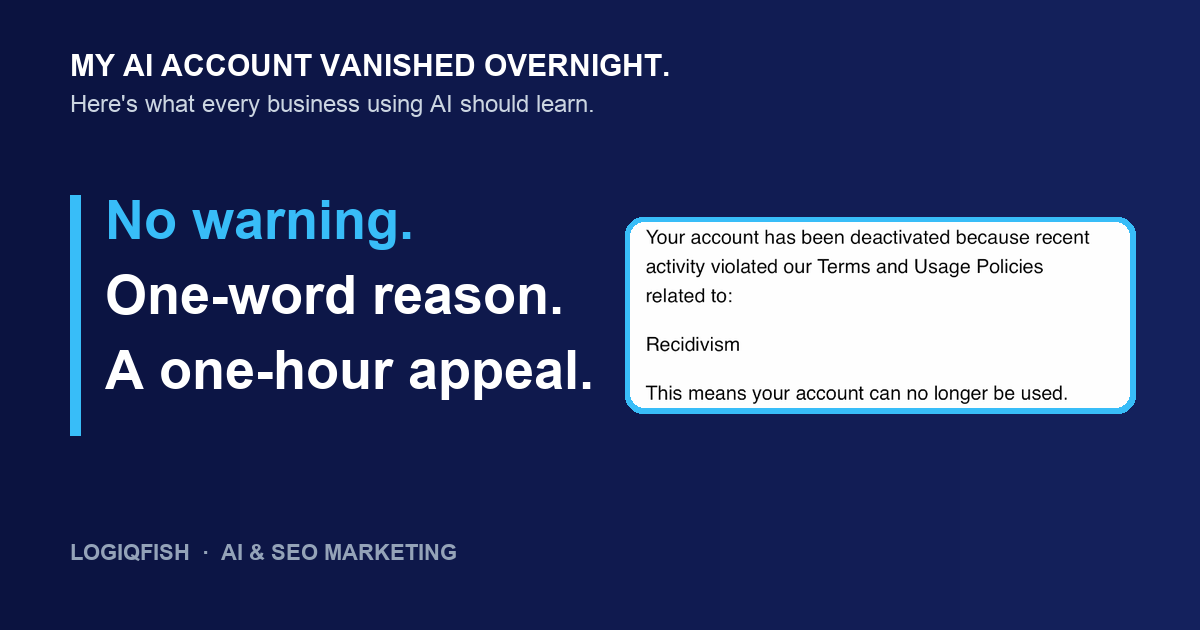
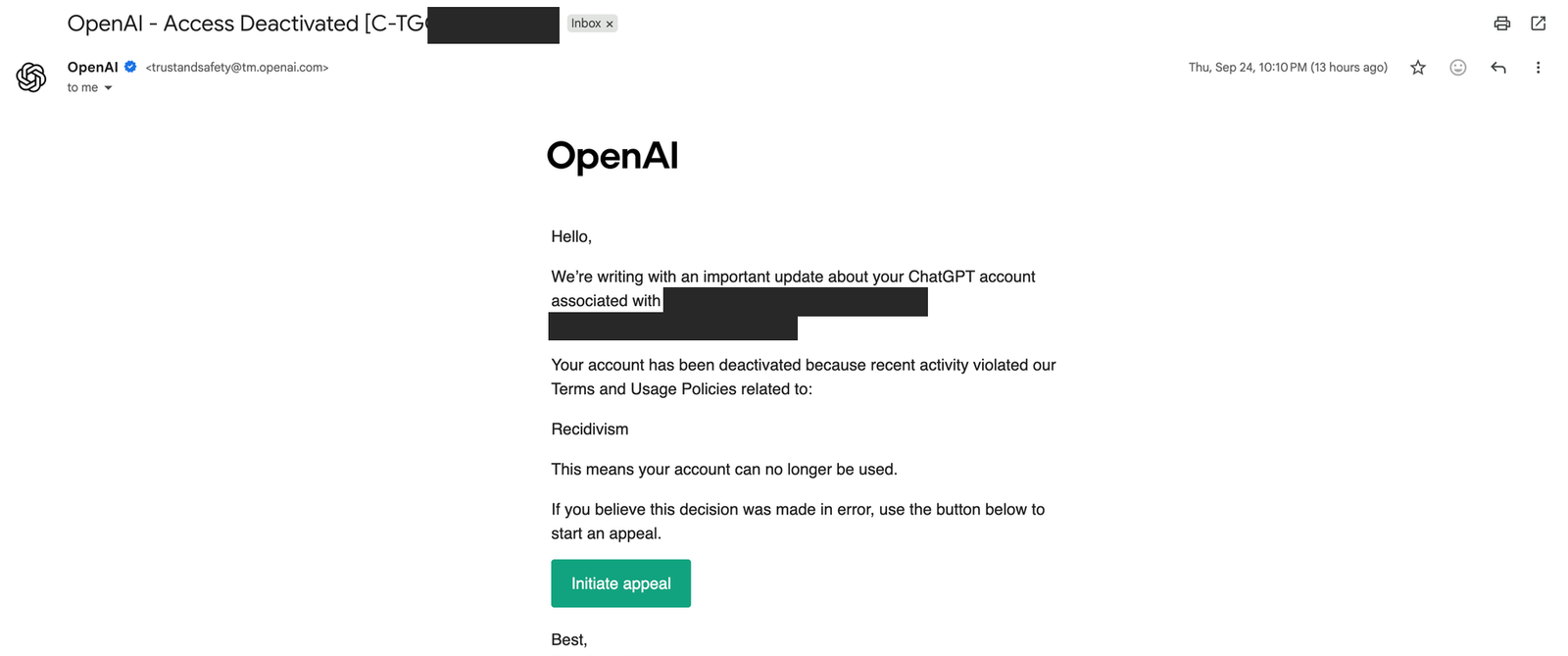
Two weeks earlier I had paid for OpenAI’s Codex plan. I used it the way a small agency owner does: reviewing pull requests for a tax-return dashboard, fixing workflow bugs, drafting prompts for a workshop ad. Then an email arrived saying my account was permanently closed. The reason given was one word: Recidivism.
Recidivism means repeat offending. I had never received a warning, a suspension, or a violation notice on that account. Not one.
This isn’t a post about whether AI vendors should enforce their rules. They should. The business problem is building your critical work so that one vendor’s decision can shut down your coding, automations, data access, and production systems all at once. That’s what happened to me, and it’s avoidable.
What happened after my AI account was closed
Every channel I tried either closed the case or sent me somewhere else. None of them told me what I had done.
| When (Eastern) | What happened |
|---|---|
| Sep 24, 10:10 PM | Permanent closure notice arrives. Reason: “Recidivism.” No details on what activity was flagged. |
| Sep 24, 10:15 PM | My Codex app stops working. Its logs show “401 Unauthorized” from this minute on. |
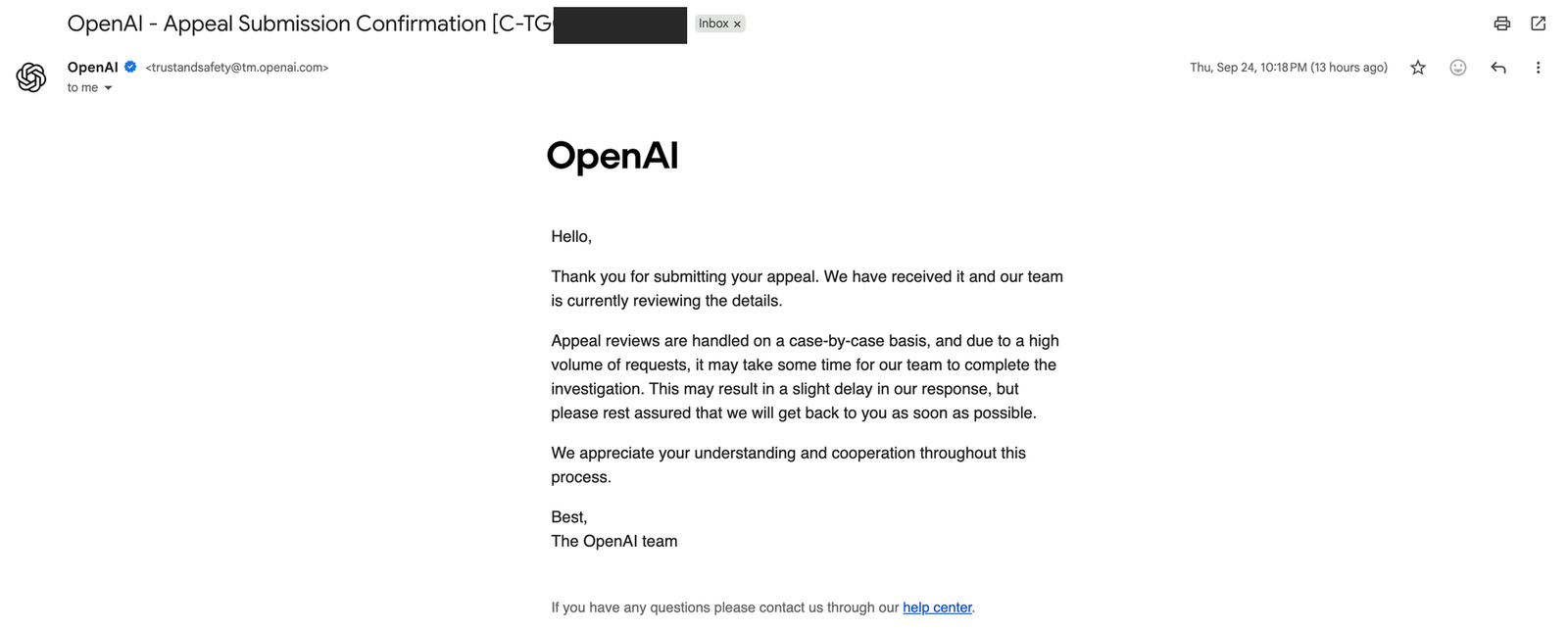
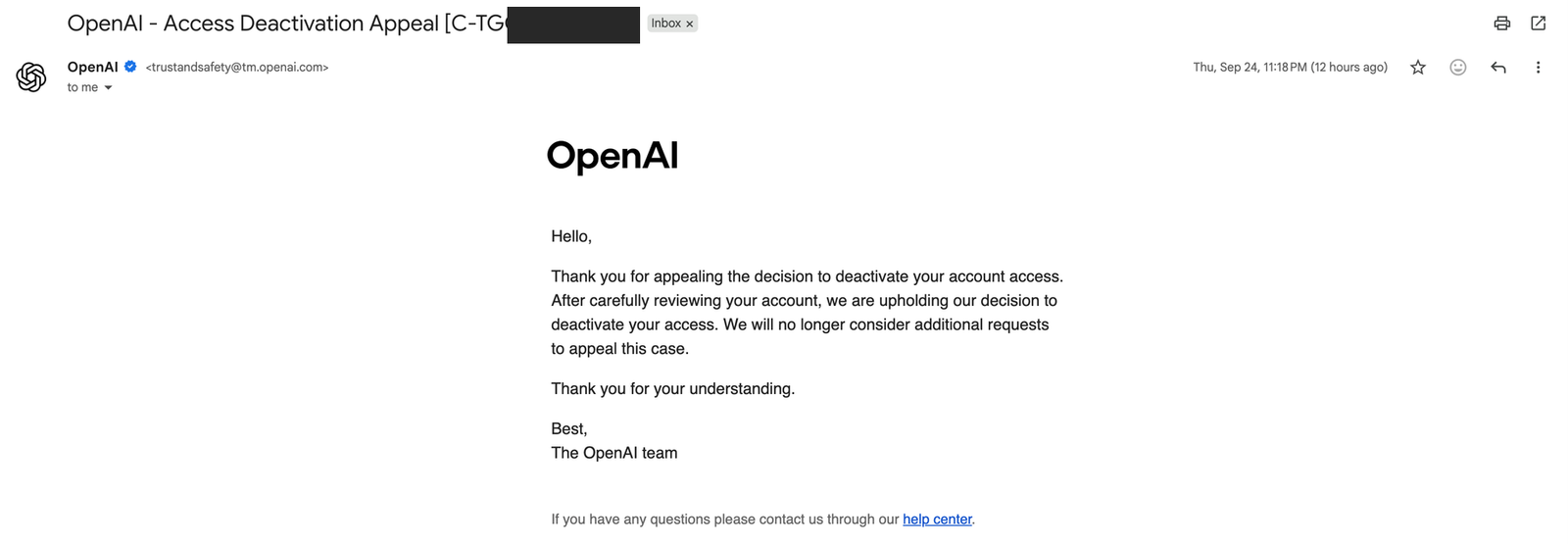
| Sep 24, 10:18 PM | Appeal submitted. The confirmation says reviews are “case-by-case” and may take time. |
| Sep 24, 11:18 PM | Appeal rejected, exactly one hour later. “We will no longer consider additional requests.” |
| Sep 25, 11:22 AM | Refund request for the unused subscription. An AI-written reply closes the case within a minute. |
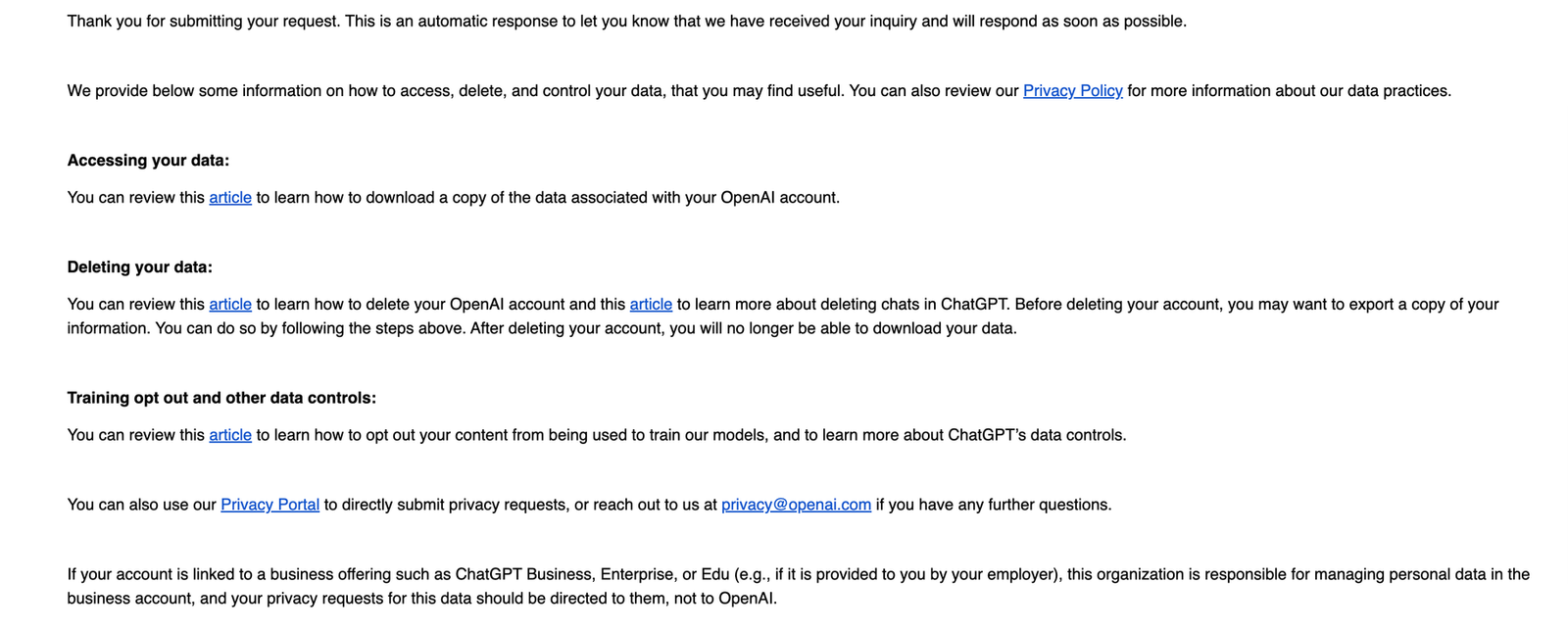
| Sep 25, 11:24 AM | Data request sent to the privacy team. Automatic acknowledgment only. |
| Oct 13, 7:23 PM | Reply to a follow-up: the appeal “has already been reviewed and the original decision stands.” |
| Oct 16, 12:46 PM | Access restored. OpenAI says it “incorrectly deactivated” my account and apologizes. Still no reason given. |
The refund reply said at the bottom that it “was generated with AI support.” I don’t know whether a person or an automated system made the original decision. What I do know is that the support process that followed gave me no explanation, and an AI system closed my refund request.

The privacy team was the only channel left open. Its reply was an automatic acknowledgment with links to self-service tools, which don’t work on a closed account.
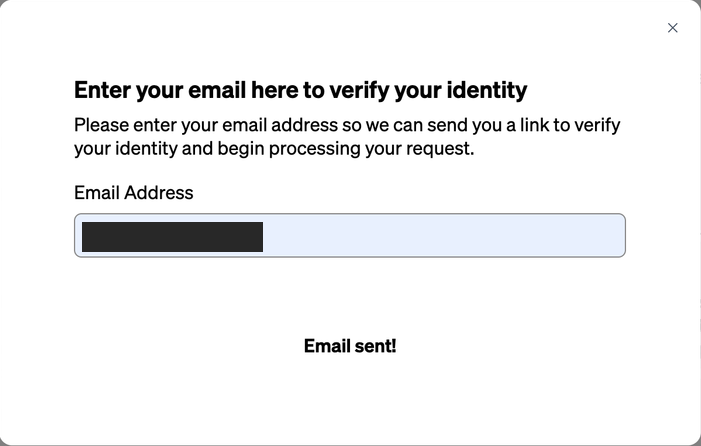
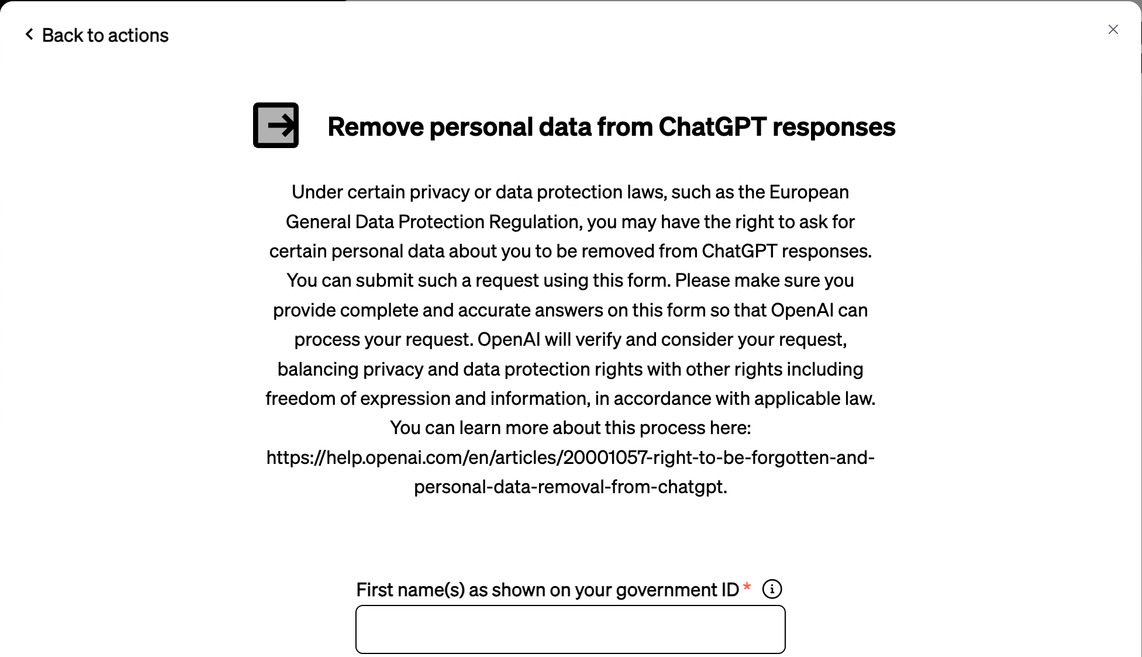
The privacy portal asks you to verify your email first. Then you pick from a menu of request types, and some of them are easy to mistake for what you need. The form below, for example, is only for removing information about you from ChatGPT’s answers to other people. It does nothing for a closed account.
How a first offense becomes a “repeat”
My best explanation for the “Recidivism” label is that a different email address counted against me. OpenAI never confirmed this, so treat it as my reading of the evidence.
In October 2025, OpenAI closed a different account in my household, a shared family account, under its “Weapons” policy. My kids had been using it for school research on gun violence: the kind of questions any student writing about a public safety issue might ask. There was no warning and no way to export the data. That account used a different email address. Online services in general can associate accounts through shared signals like:
- The same device or home internet connection
- The same phone number used for verification
- The same credit card
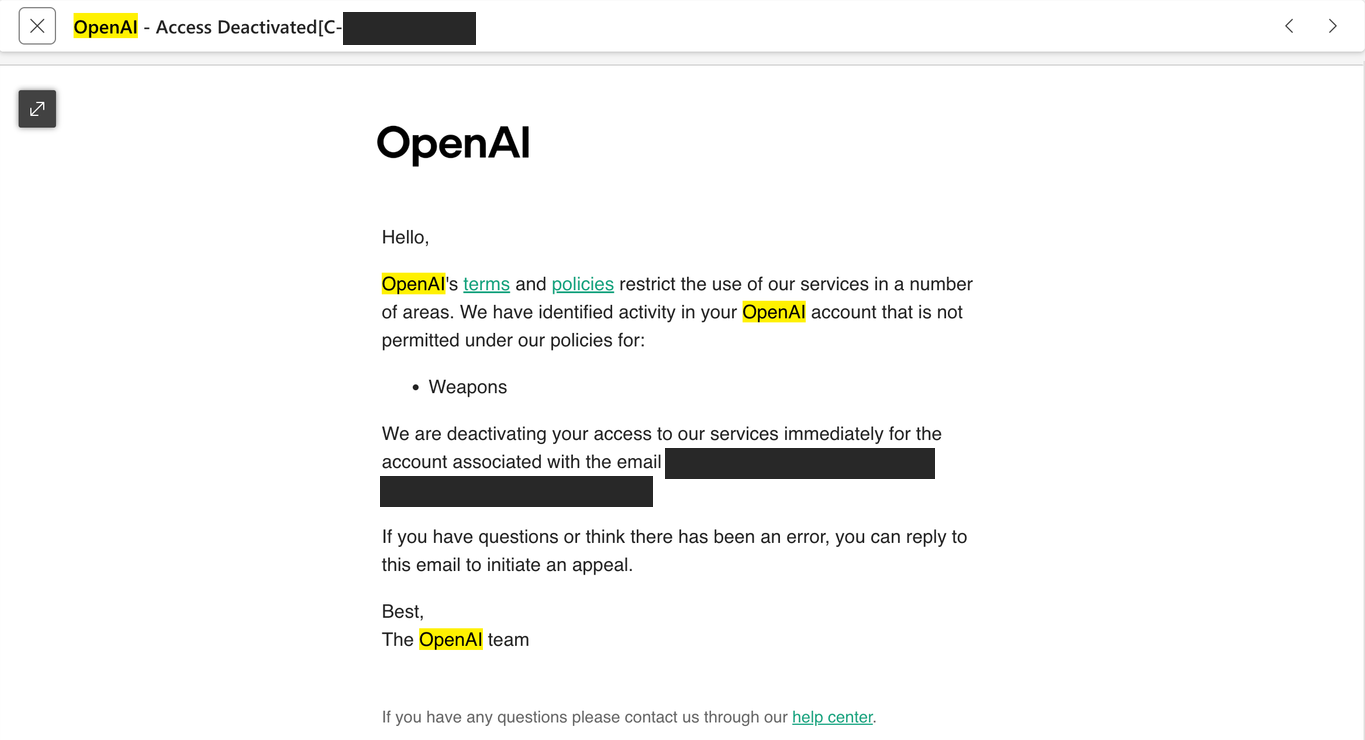
I wrote back that same night. I explained the kids’ research, said there had been no warning, and asked for our data.
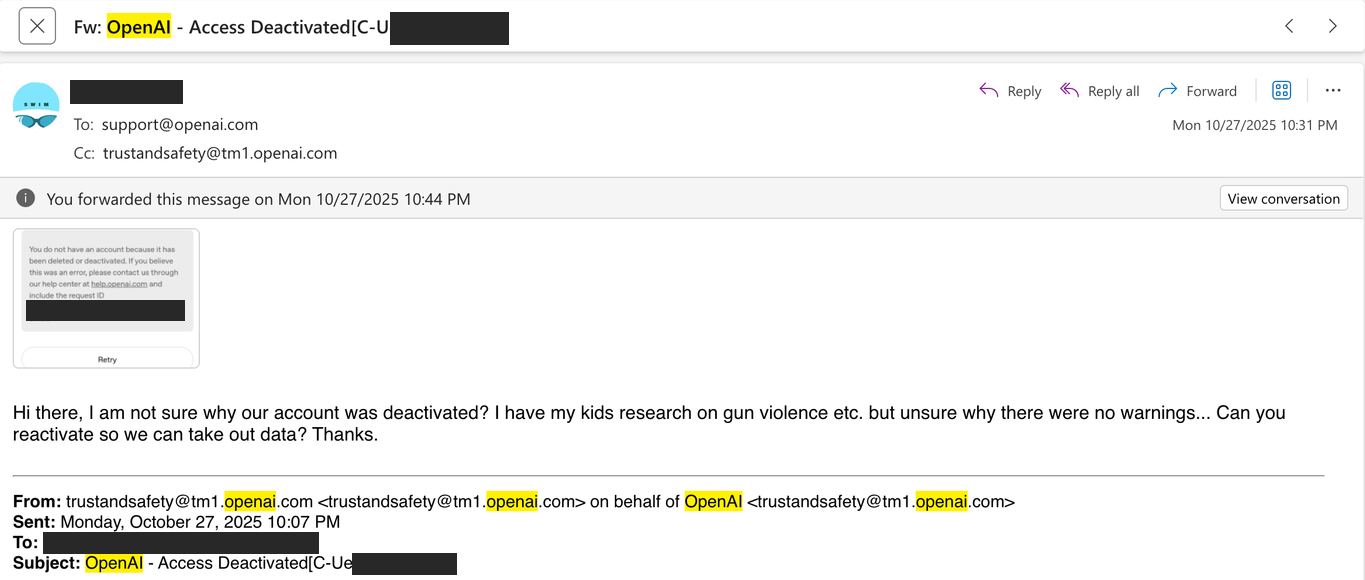
The answer came one minute later, from a bot:
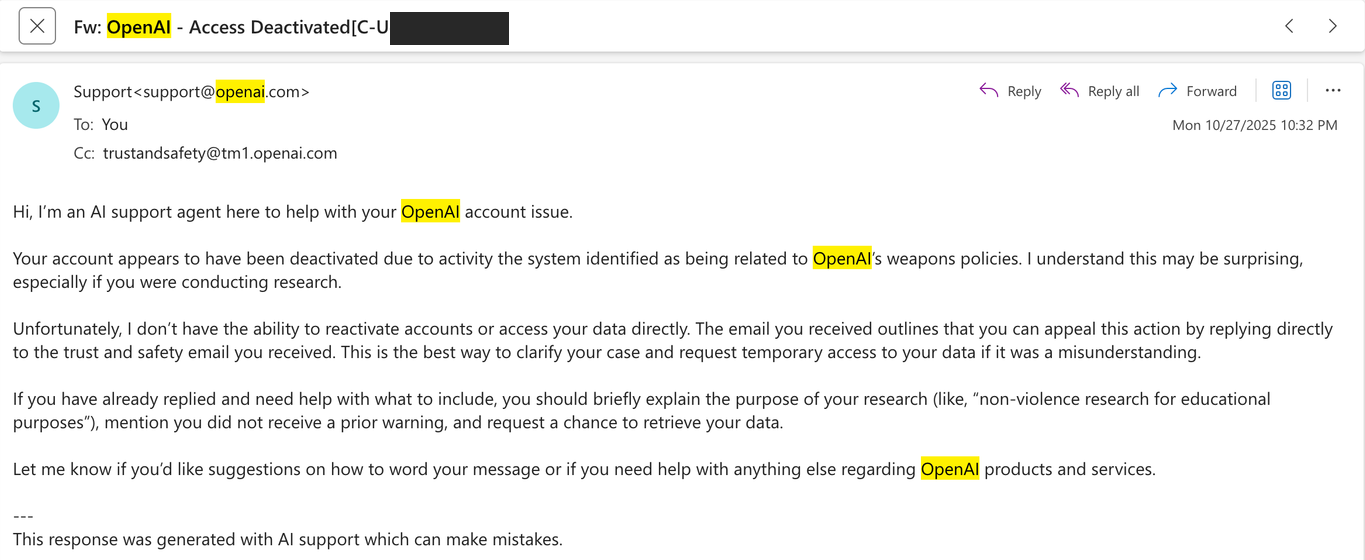
The next day I filed a formal “download my data” request through OpenAI’s privacy portal. At 3:40 PM it was acknowledged automatically.
Two minutes later, at 3:42 PM, the portal refused it. The reason: my account was suspended. It told me to email privacy@openai.com instead.
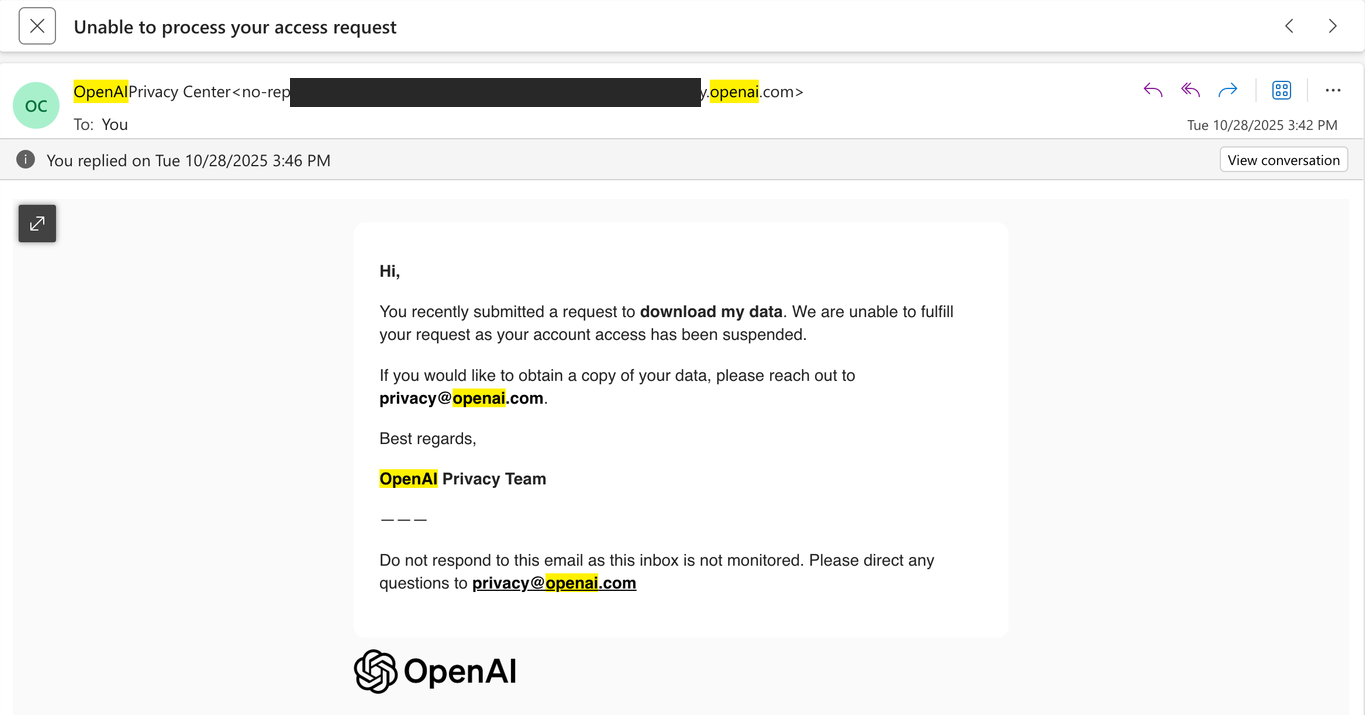
This year I emailed privacy@openai.com. Its automatic reply sent me back to the privacy portal. The portal sends you to the email address, and the email address sends you to the portal. Eleven months on, I still have no data.
| Step | Channel | Result |
|---|---|---|
| 1 | Privacy portal | “Unable to fulfill… account access has been suspended. Reach out to privacy@openai.com.” |
| 2 | privacy@openai.com | Automatic reply with links to the privacy portal and self-service tools. |
| 3 | Back to step 1 | No data, no person. |
I don’t know whether the earlier household account played any role. OpenAI hasn’t told me whether the accounts were associated, what triggered the “Recidivism” label, or whether activity across ChatGPT, Codex, and the API contributed to the decision. Without an explanation, there is nothing to correct and nothing to dispute.
What this means for you: if accounts can be associated, a family member, a shared laptop, or an old account you forgot about could affect how your business account is treated, and you may never be told.
What can get you flagged without you seeing it
After the ban I went through my own records. Almost everything was ordinary coding work, but I found two things that most business owners would never think to check.
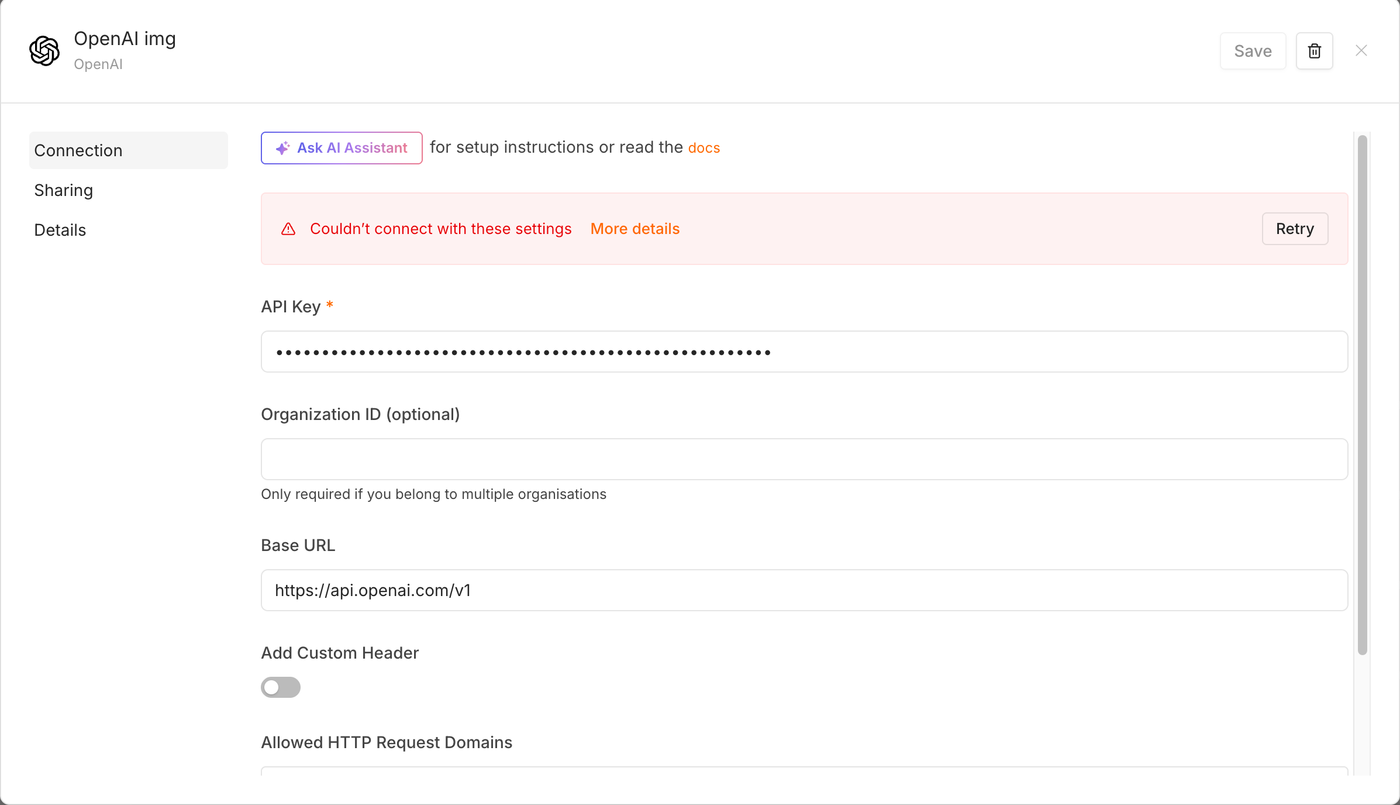
1. An automation using my personal API key. My n8n automation server had an OpenAI credential named “OpenAI img” for generating images. It calls OpenAI directly with a key tied to my identity, and it runs with no human watching each request. If a workflow sends a prompt that trips a filter, that request is tied to your account, and you may never see the prompt.
2. One blocked image request. On September 21, the coding assistant tried to generate a character reference image for Mari (@marimeansbiz), the fictional adult AI influencer behind our Mari Means Business brand: a body-proportion sheet in swimwear. OpenAI’s filter rejected it as sexual content. Nothing was produced and the request wasn’t retried. I don’t believe that alone closed my account, but it is the only flag in my local records.
The bigger point: in my case, ChatGPT, Codex, and API access were all tied to one login, and they all stopped at once. I don’t know how OpenAI weighs activity across them. What you can control is how much of your business depends on a single login.
What you lose
When an AI account is closed, everything tied to it stops at the same moment:
- Chat history. Every conversation stored on OpenAI’s servers. Export tools stop working on closed accounts. A formal data request may not help either: mine from October 2025 is still unanswered.
- The subscription. In my case, about two weeks into a paid plan. My refund request was closed automatically.
- API access. Any key under that identity stops working. My n8n credential now shows “Couldn’t connect with these settings.”
- Automations. Workflows that depend on that key start failing, sometimes without any alert.
- Future accounts. Opening a new account can be treated as ban evasion, and it would likely be linked back to the old one anyway.
What I kept: my code on GitHub, and a local copy of my coding sessions, which I backed up the same day.
What you can do when they stop answering
Once the company closes every channel, your options are outside the company. Here they are, most useful first. This is my experience as a consumer, not legal advice.
| Option | Where | Time it takes | What it can get you |
|---|---|---|---|
| Card chargeback | Your bank or card issuer | 5 minutes | Possibly your money back. Your card issuer reviews it, not the vendor. |
| Formal dispute notice | The dispute address in the vendor’s Terms of Use | 15 minutes | A written record sent to the channel the Terms name for disputes. Often required before other legal steps. |
| Small claims court | Your county court | A few hours | A formal hearing on a refund claim. Outcomes vary. |
| FTC complaint | reportfraud.ftc.gov | 10 minutes | A record. The FTC acts on patterns, not single cases. |
| State attorney general | Your state AG’s consumer complaint form | 10 minutes | A record, and sometimes a forwarded response from the company. |
| BBB complaint | bbb.org | 10 minutes | Companies sometimes respond to protect their rating. |
| Go public | Your blog, LinkedIn, X | An hour | A human sometimes reviews a case after it gets attention. |
For a chargeback, describe it plainly: “Service terminated early; merchant refused a prorated refund.” Attach the refund refusal email as proof you asked first. Dispute windows vary by card issuer, so check yours early.
How to protect your business
Do these before you need them. None of them take more than an afternoon.
Update: OpenAI restored my account
On October 16, 2026, at 12:46 PM, 22 days after the closure, OpenAI’s Trust and Safety team emailed me. It said it had “incorrectly deactivated” my account access, apologized, and restored it. Three days earlier, a reply to my follow-up had said my appeal was already reviewed and “the original decision stands.”
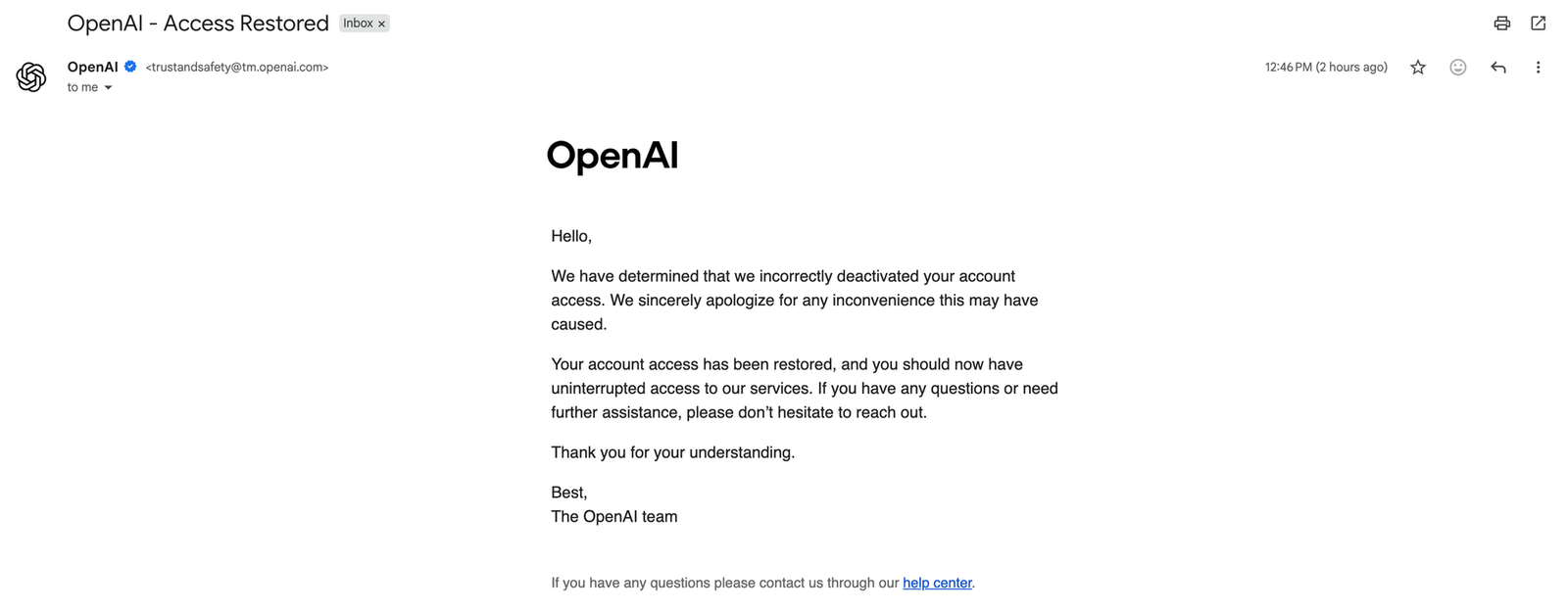
I’m glad, and I’m grateful to whoever took a second look. But read the email closely. It doesn’t say what was flagged, why the label was “Recidivism,” or what changed between October 13 and October 16. The appeal had been turned down twice, and I still don’t know what reversed it.
What the restoration doesn’t change:
- For 22 days, my coding assistant, chat history, and API key were gone, and the automations that depended on that key stopped working.
- The official appeal was rejected in one hour. Being in the right didn’t help until someone at the company decided to look again.
- A vendor’s mistake shuts you down just as completely as a real violation. The steps above (separate accounts, local backups, a second vendor ready to go) are what protect you either way.
AI tools are now infrastructure
We treat AI tools like apps we can swap out. For a growing number of small businesses, they’re closer to electricity: code, marketing, and client work all run through them. But unlike your power company, an AI vendor can cut you off without telling you why, and even when it turns out to be a mistake, it can take weeks to undo. In my case, every follow-up was answered by an automated reply or not at all, until the reversal 22 days later.
I’m not telling you to stop using AI. I still use AI tools every day. The lesson is to avoid a single point of AI failure: plan for the day one vendor disappears, because for me that day came with no warning.
If you run a business on AI tools and want a second pair of eyes on where you’re exposed, reach out to me at LogiqFish.